


.webp)
Clio
Elead
Follow Up Boss
Freshdesk
HubSpot
Leadsquared
MS Dynamics
NetSuite
Redtail
NetSuite
QQCatalyst
Redtail
Salesforce
Sugar
Zendesk Sell
Zoho
Agency Matrix
Agencyzoom.com
Allstate eAgent
Copper
EZLynx
FreeAgent
Merchantos
Onebill Link
Vin Solutions
Onebill Link
Customer Texting
On-site servers and physical hardware
No on-site PBX hardware
Maintenance Costs
High upfront and maintenance expenses
Lower operating expenses
Scalability
Limited scalability
Easy scalability across locations
Upgrades
Manual upgrades and repairs
Automatic updates and improvements
Flexibility
Requires Internal IT
A cloud PBX phone system gives your busimess the flexibility and reliability traditional systems simply can´t match.
Optimized For
Maximizing Camera Coverage
General Visibility
Parking Lots
Image Sensor
2MP
5MP
8.3MP
Night Vision
100ft in Low Light
100ft in Low Light
130ft in Low Light
Storage
128GB
128GB+
30-Day Cloud Storage
Retention
20 Days
30 Days
30 Days
Ethernet Connectivity
Yes
Yes
Yes
Indoor/Outdoor
Yes
Yes
Yes
Tracked Behavior
Yes
Yes
Yes
Bandwidth
Dedicated to you
Shared with all
SLA
Guaranteed by contract
No guarantees
Support
Priority business team
Standard queue
Uptime
99.9% guaranteed
Best effort
Multi-Site
All your locations, one account
Single address
Scalability
Grows with your business
Limited options
Threat Detection
Real-time AI- alerts
Records footage only
False Alerts
Filtered by AI
Frequent false alarms
Weapon Detection
Yes
No
Remote Access
Cloud-based
DVR access required
Multi-Site Visibility
Unified dashboard
Separate systems
Scalability
Easily expandable
Hardware-heavy upgrades
Auto Attendants
Auto Attendants
Set up automated greetings and call routing for incoming calls to provide a professional, efficient caller experience.
Call Queues
Call Queues
Create and manage an unlimited number of call queues to efficiently handle incoming calls based on specific criteria or departments.
Call Forwarding
Call Forwarding
Stay connected and accessible on the go by forwarding incoming calls to any designated phone number or device.
Call Popping
Call Popping
Notify users of incoming calls with customizable call announcements that provide essential caller information before answering.
Customer Portal
Customer Portal
Access our Web Portal to manage your VoIP system, configure settings, and access tools to optimize your communication experience.
Admin Dashboard
Admin Dashboard
Control users, call routing, devices, and system settings from a centralized dashboard built for administrators.
Agent Queue Status
Agent Queue Status
Monitor the real-time status of agent queues to ensure efficient call distribution and minimize wait times for callers.
Voicemail to email
Voicemail to email
Auto transcribe voicemail messages into text and deliver them to your email inbox, allowing for convenient access and storage.
Caller ID
Caller ID
Identify incoming callers before answering to personalize responses and prioritize calls based on caller information.
Call Recording
Call Recording
Record calls to review customer interactions for employee training, regulatory compliance, or to resolve disputes.
Custom
Hold Music
Custom Hold Music
Keep callers engaged and entertained with custom hold music or messages, enhancing the caller experience during wait times.
Intercom
Intercom
Enable instant communication between intercom-enabled devices, facilitating quick communication within multiple locations.
Mobile
Application
Mobile Application
Make or receive calls, access voicemails, and collaborate with colleagues from our mobile app to stay connected on the go.
Unlimited Auto Attendants
Set up automated greetings and call routing for incoming calls to provide a professional, efficient caller experience.
Visual Voicemail
Visual Voicemail
Access and manage voicemail messages visually through our intuitive interface, and prioritize, listen to, and delete messages with ease.
3-Way-Conferencing
3-Way-Conferencing
Collaborate effortlessly in your VoIP business phone with up to two additional participants in real-time discussions or impromptu meetings.
Active Directory Integration LDAP
Sync user authentication and access rights with your existing Active Directory infrastructure to enhance security by centralizing user credentials.
Wait Time Announcement
Inform callers of estimated wait times while they are in the call queue, managing expectations and reducing frustration.
Voicemail
Notification
Voicemail Notification
Receive instant email notifications when new voicemail messages are received, ensuring timely retrieval and response to important messages.
Unlimited Rollover Lines
Ensure that incoming calls are always handled with unlimited rollover lines, providing reliability during peak call volumes or unexpected traffic surges.
Unlimited Ring Groups
Create ring groups to ring multiple phones simultaneously for incoming calls, ensuring that calls are promptly answered and efficiently distributed.
Unlimited
Call Queues
Unlimited Call Queues
Create and manage an unlimited number of call queues to efficiently handle incoming calls based on specific criteria or departments.
Time-Based Schedules
Customize call routing and forwarding based on predefined schedules, enabling flexible call handling at different times of the day or week.
Speed Dial
Speed Dial
Program frequently dialed numbers for quick and easy access, saving time and simplifying the calling process for commonly used contacts.
Skills-Based
Routing
Skills-Based Routing
Route incoming calls to the most appropriate agent or department based on predefined skills or qualifications.
Shared Line Appearance
Share a single phone line across multiple devices or users, enabling seamless call handling and collaboration within teams or departments.
Redial
Redial
Quickly redial the last dialed number with the touch of a button, saving time and effort when making repeated calls or callbacks.
Real Time Queue Stats
Gain real-time insights into call queue performance and agent activity to optimize call handling and customer service efficiency.
Queue Call Back
Queue Call Back
Offer callers the option to receive a callback when an agent becomes available instead of waiting in the call queue.
Presence Monitoring
Presence Monitoring
View colleagues' or team members' real-time availability, enabling informed communication decisions and promoting collaboration.
Portal Contacts
Portal Contacts
Manage and access your contact list through our web portal, ensuring that important contacts are readily available for efficient communication.
Paging
Paging
Broadcast announcements or messages to multiple phones or paging devices simultaneously, facilitating communication and coordination.
Unlimited Local & Long Distance Calling
Enjoy unlimited local calling and long-distance calling to domestic and international destinations, without worrying about per-minute charges.
Hot Desking
Hot Desking
Promote flexibility and efficiency in the workplace by allowing employees to log in to any office desk phone.
Fax to Email
Fax to Email
Receive incoming faxes directly in your email inbox as digital attachments, eliminating the need for dedicated fax machines.
Extension Dialing
Extension Dialing
Easily connect with colleagues or departments within your organization by dialing their extension numbers.
Escape From Call Queue
Allow callers to exit the call queue and either leave a voicemail or request a callback.
Email to Fax
Email to Fax
Convert emails into fax documents and send them directly from your email client to reduce reliance on traditional fax machines.
Direct Numbers
Direct Numbers
Assign dedicated phone numbers to individual users or departments to facilitate direct communication.
Dial by Name
Dial by Name
Enable callers to reach desired contacts by dialing their names using an automated directory assistance feature.
Dial by Extension
Dial by Extension
Simplify internal communication by allowing users to reach specific colleagues or departments directly by dialing their extension numbers.
Custom Queue Hold Music
Enhance the caller experience with custom hold music or messages while they wait in a queue.
Custom Greetings
Custom Greetings
Personalize the caller experience with custom greetings and messages to create a professional first impression.
Dial by Conference Bridge
Host virtual meetings with multiple participants to facilitate collaboration and communication regardless of geographic location.
Company Directory
Company Directory
Access a centralized directory of company contacts, providing quick and convenient access to colleagues’ contact information
Caller ID Routing
Caller ID Routing
Route incoming calls based on caller ID to the appropriate department or individual, ensuring calls reach the right agent.
Call Routing Failover
Automatically reroute calls to designated backup numbers or destinations during network issues or service disruptions.
Call History
Call History
Access a comprehensive record of all incoming, outgoing, and missed calls for reference and analysis.
Call Announcement
Call Announcement
Notify users of incoming calls with customizable call announcements that provide essential caller information before answering.
Call Analytics
Call Analytics
Gain actionable insights into call metrics, trends, and patterns to optimize performance and resource allocation
Blacklisting
Blacklisting
Safeguard your business from unwanted callers or spammers by blocking specific numbers.
Barge
The terms Cloud PBX and Hosted PBX are often used interchangeably. In both cases, the PBX system is hosted off-site and delivered via the cloud. The key difference isn’t the technology, it’s the level of service.SpectrumVoIP provides a fully managed Cloud PBX solution, meaning we don’t just host your system; we design, deploy, manage, and support it.


This means clearer calls, more features, lower costs, and the ability to manage your entire phone system from the cloud, whether your team is in the office, remote, or across multiple locations.
SpectrumVoIP fully manages your business VoIP system, so you get all the benefits without having to handle setup, maintenance, or troubleshooting.

Enable two-way SMS and MMS messaging from your business phone number. Communicate with customers through text for appointment reminders, quick updates, and customer support.

Send and receive faxes securely without traditional fax machines. Our digital fax solution allows you to manage inbound and outbound faxes directly from email or an online portal.
Ensure access to emergency services with a dedicated emergency line support and maintain compliance by providing emergency calling capabilities, even during unexpected system disruptions.

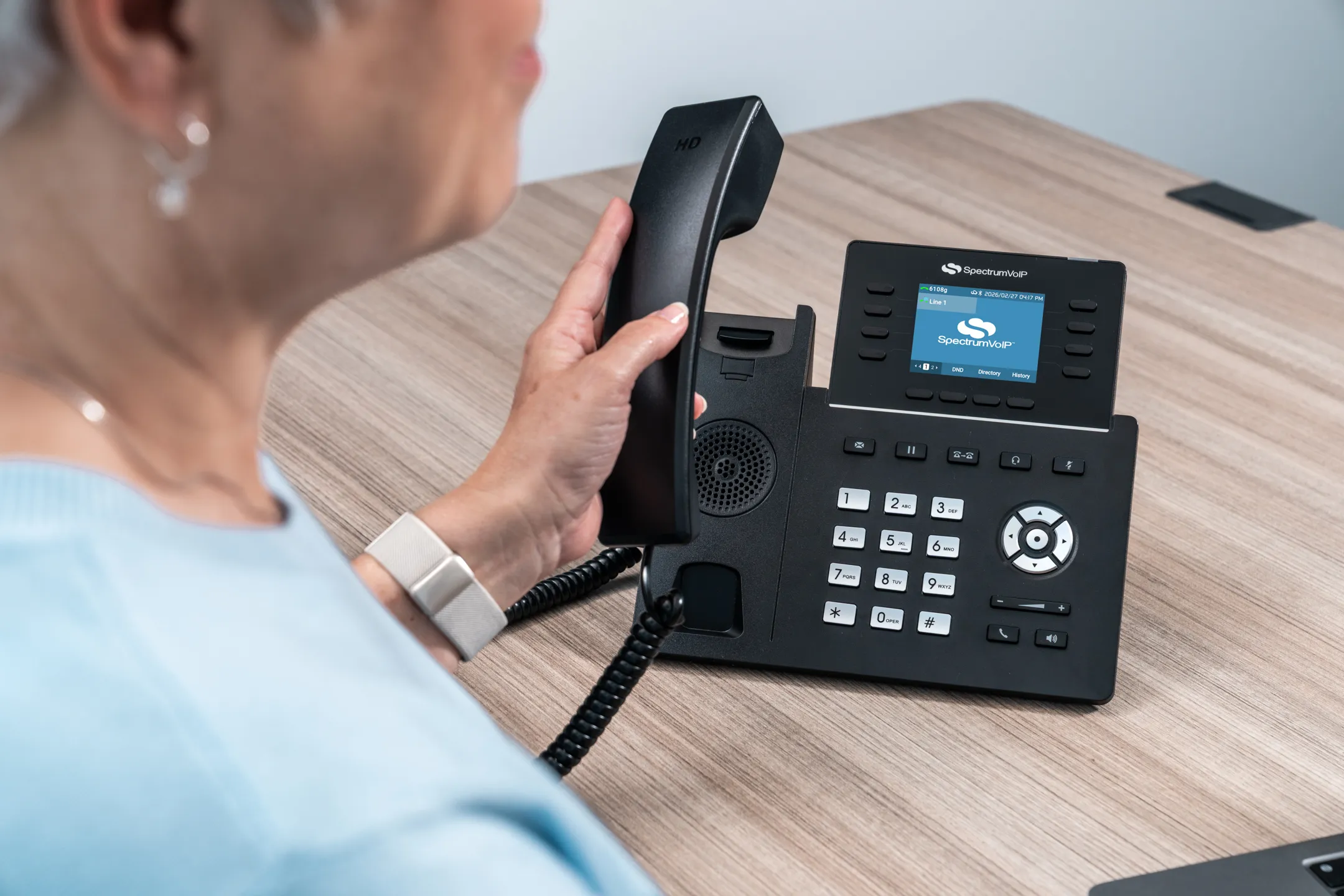
A cloud PBX phone system is a business phone solution that operates entirely over the internet instead of using on-site hardware. Also known as a cloud based PBX or PBX cloud, it manages call routing, voicemail, extensions, and advanced features through secure data centers. A cloud PBX system eliminates the need for traditional PBX equipment while offering greater flexibility and scalability.
VoIP refers to the technology that transmits voice calls over the internet. A cloud PBX system uses VoIP technology but adds full business call management features like auto attendants, call queues, analytics, and extension management. In simple terms, VoIP is the technology and a hosted PBX phone system is the complete business phone platform built on that technology.
A traditional on-premise PBX requires physical hardware installed at your office. A hosted PBX or cloud based PBX operates in the cloud, managed by your provider. This means no costly equipment, less maintenance, automatic updates, and easier scalability. A PBX cloud solution is ideal for businesses that want modern communication without infrastructure overhead.
Not exactly. While a cloud PBX phone system uses VoIP technology to transmit calls, it includes many additional business features. VoIP enables internet-based calling, while a cloud PBX system delivers a complete phone system experience with advanced call handling and management tools.
The cost of our hosted PBX phone system depends on the type of service you aquire. Our cloud PBX system operates on a predictable monthly or term contract fee, making budgeting easier than traditional phone systems. Your business benefits from lower upfront costs since there’s no need to purchase on-site PBX hardware.
For more information consult: https://www.spectrumvoip.com/pricing/
In most cases, yes. A cloud based PBX removes the need for expensive hardware, maintenance contracts, and manual upgrades. Because the PBX cloud is managed by your provider, businesses typically reduce both capital expenses and ongoing IT costs compared to traditional PBX systems.
Absolutely. A cloud PBX phone system is designed for flexibility. Employees can access the hosted PBX from anywhere with an internet connection, making it ideal for hybrid and remote teams. Extensions and business numbers work seamlessly outside the office.
Yes. Most cloud PBX systems integrate with mobile and desktop applications, allowing users to make and receive calls, check voicemail, and manage settings from any device. A hosted PBX phone system keeps your team connected across smartphones, tablets, and computers.
Reputable providers implement strong encryption, secure data centers, and ongoing monitoring to protect your cloud PBX system. A professionally managed hosted PBX often provides stronger security controls and regular updates compared to aging on-premise PBX hardware.